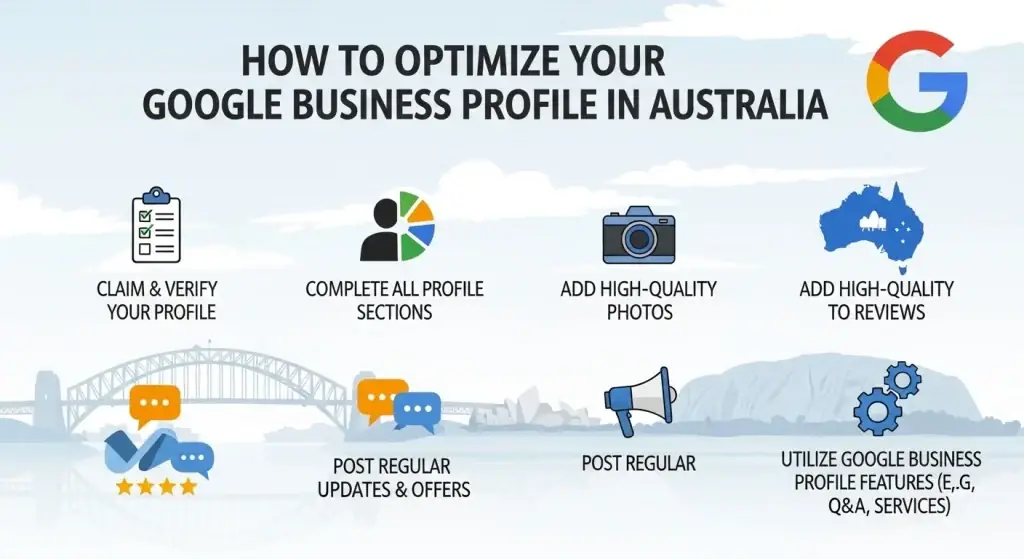
Your Google Business Profile is the first thing customers see when they search for your business or your service type in Australia. It shows up before your website, before your Facebook page, before your Instagram. It is what controls your name, your phone number, your star rating, your photos, and your hours on Google Search and Google Maps.
Most Australian business owners set it up once, leave half of it blank, and then wonder why competitors rank above them on Google Maps. The answer is almost always the profile itself.
This guide walks you through every step of Google Business Profile optimisation Australia. You will know exactly what to fill in, what to prioritise, and what Google actually measures when it decides whether your business appears in the Local Pack or gets pushed off page one entirely.
What Google Business Profile Controls
Your Google Business Profile (GBP) is the free Google tool that determines how your business appears across Google Search and Google Maps. Every time someone searches for your business name, or searches for a service in your area, Google pulls data from your GBP to build the result they see.
The result Google shows includes your business name, address, phone number, website link, opening hours, photos, reviews, star rating, and a link to get directions. Customers can call you, navigate to you, read your reviews, and check your hours without ever visiting your website. For many local businesses in Australia, the GBP listing generates more direct customer contact than the website does.
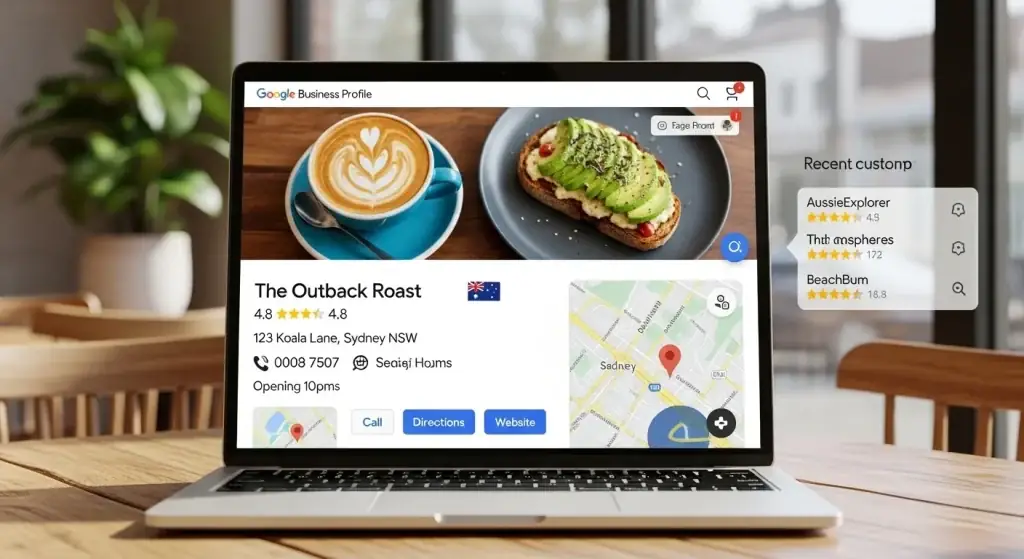
In 2026, the importance of your GBP has increased again. Google’s AI Overviews now pull directly from Business Profile data when generating answers to local search queries. When someone asks Google a voice query like ‘who is the best plumber in Parramatta,’ Google reads verified Business Profiles to form its answer. An incomplete or outdated profile is filtered out before it ever gets shown.
Note: If you need our services Rank with Faisal Just drop a messege.
Important Note
To get the best results from your Google Business Profile, it’s important to combine it with other marketing strategies like Google Ads, Facebook Ads, Local SEO, and Lead Generation. While Google Business Profile helps you appear in local searches and on Google Maps, Google Ads can bring instant traffic, Facebook Ads can target the right audience, and Local SEO builds long-term visibility. When all these strategies work together, they create a complete system that not only improves rankings but also drives consistent leads and real business growth.
The Three Signals Google Uses to Rank Local Businesses
Before you touch any setting in your profile, you need to understand what Google is actually measuring. These three factors, confirmed by Whitespark’s Local Search Ranking Factors research (the most credible ongoing study in local SEO), determine whether your business appears at the top of Google Maps results or gets buried.
Relevance: Does Your Profile Match the Search?
Relevance is driven by your primary business category, your secondary categories, your listed services, and the language in your business description. If someone searches ’emergency electrician Canberra’ and your profile category says ‘Contractor’ with no services listed, Google will not rank you for that search. Even if you are physically the closest business.
Choosing a vague category costs you visibility across every relevant search in your area, every day. This is one of the most common and most fixable mistakes in Google Business Profile optimisation Australia.
Distance: How Close Is Your Business to the Searcher?
Google factors in the physical distance between your business location and the person searching. You cannot change where your business is located, but you can make sure Google knows exactly where that is by displaying a verified physical address, setting accurate service area boundaries, and ensuring that address matches every other platform where your business is listed.
For service-area businesses, tradies, mobile operators, and consultants who do not have a customer-facing shopfront, you can define the suburbs and regions you serve. Google treats a well-defined service area as a valid location signal.
Prominence: How Active and Trusted Does Your Business Appear?
Prominence is measured by your review count, your review recency, your local citation consistency across the web, your website authority, and the activity level of your profile. This is the signal you have the most control over.
A business with 40 Google reviews and a profile updated every week will regularly outrank a competitor with 200 reviews but a profile that has been ignored for six months. Whitespark’s 2025 data confirms that review recency carries more weight than total review count. Google measures what your business is doing now, not what it did three years ago.
Step-by-Step: Google Business Profile Optimisation Australia
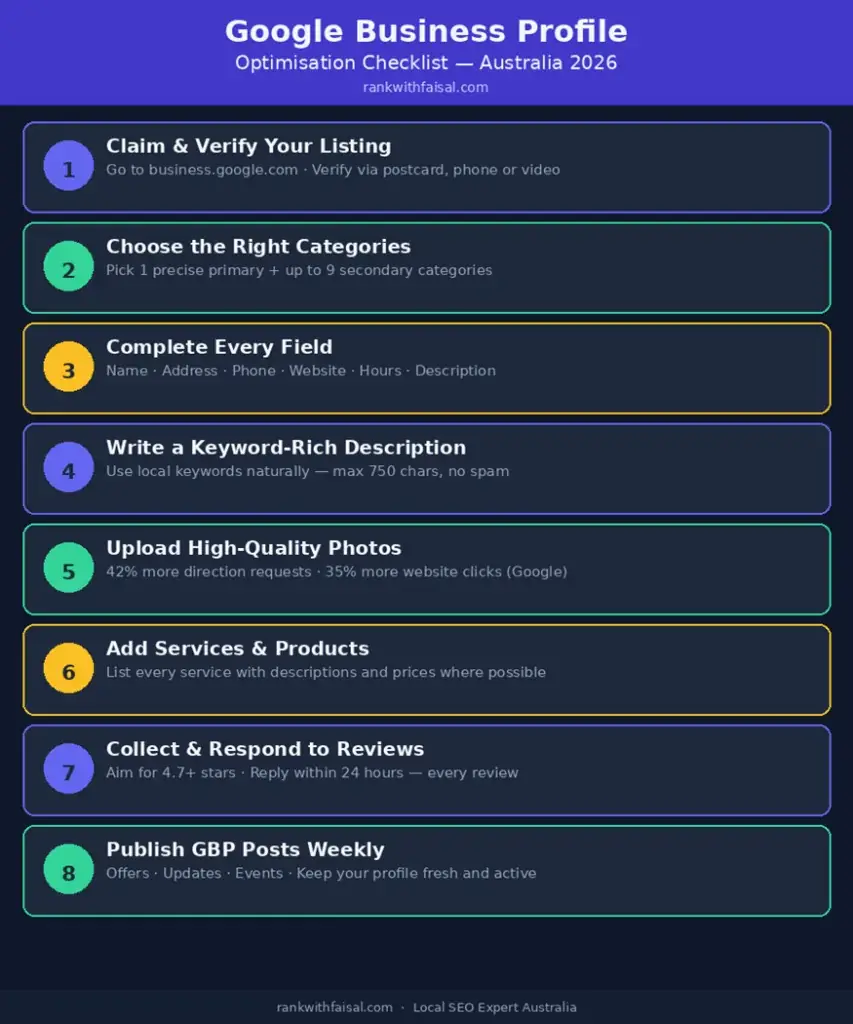
Step 1: Claim and Verify Your Listing
Go to business.google.com and search for your business name. If a listing already exists, use the ‘Claim this business’ option. If nothing exists, select ‘Add your business’ and complete the setup from scratch.
Verification options in Australia include postcard delivery to your business address, phone or SMS verification, video verification, or instant verification for accounts that meet Google’s eligibility criteria. Complete verification as quickly as possible. An unverified profile cannot be fully edited, does not rank reliably, and cannot access your performance data.
One finding from real Australian client work, reported by Sydney-based local SEO consultant Jay Ong, is consistent: if your business has a physical address, show it. Even a registered office address, a studio, or a co-working space you use regularly. Adding a verified physical address was the single change that produced the largest ranking improvements across client accounts. Profiles set up as service-area businesses with the address hidden consistently ranked lower than equivalent profiles with a verified address shown.
Step 2: Choose the Right Primary and Secondary Categories
Your primary business category is the most important single field in your entire Google Business Profile optimisation Australia process. It is the primary relevance signal Google uses to decide which searches your business is eligible to appear for. An incorrectly chosen category locks you out of every related search in your service area.
Be specific, not broad. The examples below show the difference between a category choice that works and one that leaves significant ranking potential unused:
| Too broad (limits your visibility) | Specific (what to choose instead) |
| Contractor | Electrician |
| Food | Italian Restaurant |
| Health | Physiotherapist |
| Services | Emergency Plumber |
| Retail | Independent Bookstore |
| Professional Services | Tax Accountant |
After setting your primary category, add up to nine secondary categories. Each one expands the range of search queries where your profile can appear. A plumber who adds ‘Gas Fitting Service’ and ‘Drainage Service’ as secondary categories becomes eligible for those searches in addition to general plumbing queries. Use every secondary category that genuinely reflects a service you provide.
Step 3: Complete Every Available Field Without Exception
Google’s research shows a direct correlation between profile completeness and visibility. Every blank field is a missed signal. Work through each section:
- Business name: Use your exact registered trading name. Do not add suburb names, keywords, or descriptors to this field. ‘Sydney Best Plumber Joe’s Services’ violates Google’s guidelines. Your business name in GBP must match your legal trading name exactly, as it appears on your ABN registration, your website, and your signage. Violations can result in profile suspension.
- Address: For businesses with a shopfront or office, enter the full street address. For businesses that go to the customer, hide the address and define your service zones by suburb or postcode. If you serve all of Western Sydney, specify those suburbs individually rather than selecting a broad region. The more precise your service area definition, the stronger your location signals.
- Phone number: Use a local area code number where possible. 02, 03, 07, or 08 numbers carry geographic relevance signals. 1300 and 1800 numbers do not tell Google which state your business operates in. Where you can, use a direct local number for your primary GBP contact.
- Website URL: Link to the most relevant page. For single-location businesses, this is your homepage. For multi-location businesses, link to the location-specific page. Google cross-references your website against your GBP. If the name, address, and phone number on your website do not match your profile exactly, it creates inconsistency that reduces your ranking.
- Business hours: Set accurate hours and update them for Australian public holidays using the Special Hours feature. This matters most during ANZAC Day, Easter, Christmas, and state-specific public holidays. Google surfaces ‘open now’ results more prominently in mobile searches. An incorrect holiday listing makes your business invisible at peak search moments.
- Business description: You have 750 characters. Use them to describe your services, your location, what makes you different, and who your customers are. Write in natural language. Include your primary service keywords and location without forcing them. This is read by both Google’s algorithm and by real customers, so write it for both audiences.
- Attributes: Work through every attribute category and tick everything that applies. Wheelchair accessible entrance, outdoor seating, EFTPOS accepted, parking available, women-led, LGBTQ+ friendly, appointment required. Attributes appear in filter searches. A customer searching for ‘physio with wheelchair access Geelong’ will only see profiles that have that attribute checked.
Step 4: List Every Service and Product Individually
The Services section is the most underused part of google my business Australia profiles. Most businesses add one or two services and stop. That is a significant missed opportunity because every service you list individually becomes a separate relevance signal for Google.
A plumber who lists ‘blocked drain clearing,’ ‘hot water system installation,’ ‘burst pipe repair,’ ‘gas fitting,’ and ‘bathroom renovation plumbing’ as separate services ranks for each of those search queries individually. A plumber who only enters ‘plumbing services’ competes for one search term instead of five.
For each service, write a description of 100 to 150 words. Explain what the service involves, who it is suited for, and what the process looks like. Include your location naturally where it reads correctly. Add prices where you have fixed or estimated rates. Transparent pricing reduces friction for potential customers and is a positive engagement signal.
Step 5: Upload Photos Consistently, Not Just Once
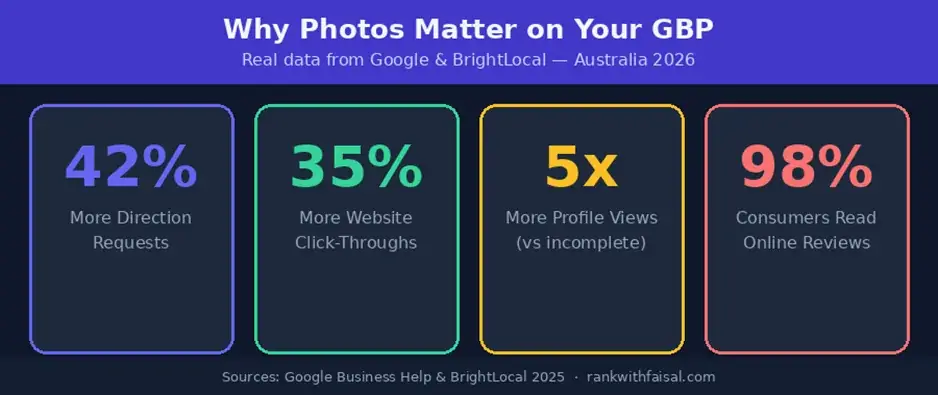
According to Google’s own research, profiles with photos receive 42% more direction requests and 35% more website clicks than those without. A 2025 report found that 48% of local-intent searches led to a direct GBP interaction within 24 hours when the profile included photos.
In 2026, photos carry additional ranking weight. Google’s Vision AI now scans the content of your uploaded photos and uses them as relevance signals. An electrician who uploads a photo of a switchboard installation becomes more likely to rank for ‘switchboard upgrade’ searches in their area, even if that specific phrase does not appear in their text content. The AI reads the image and matches it to relevant search queries.
Upload these photo types when setting up your profile:
- Exterior photos: The front of your building, your entrance, your signage, your car park. Customers use these to confirm they have arrived at the right location. For mobile businesses, a photo of your branded vehicle serves the same purpose.
- Interior photos: Your reception area, your workspace, your shop floor, your treatment room, your kitchen. These build familiarity and reduce the hesitation that comes with visiting a new business.
- Team photos: Clear, professional photos of you and your team. Customers hire people, and a face attached to a business increases trust and enquiry rates.
- Work in progress and completed work: The most credible content you can publish. A finished garden renovation, a completed installation, a salon finish, a food presentation. These are what potential customers are looking for when they review your profile.
- Logo and cover image: These appear prominently across Search and Maps. Use high-resolution versions that match your current branding. Blurry or outdated images work against you.
Upload a minimum of ten photos when you complete your initial setup. After that, add two to three new photos every week. Google measures photo upload recency as an activity signal. Profiles that consistently add fresh photos maintain stronger Local Pack positions than those that do not. If your most recent photo is from more than 90 days ago, your profile is losing freshness points to competitors who are actively uploading.
Step 6: Build a Review Profile That Drives Rankings and Conversions
Reviews affect all three of Google’s ranking signals simultaneously. They influence relevance because the language customers use in reviews signals what services your business provides. They influence prominence because review volume and recency are direct measurement inputs. They influence click-through rate because your star rating is visible before a customer reads a single word about your business.
The target for local search Australia is a rating of 4.7 stars or above. Research from Agency Jet (2026) found that a perfect 5.0 with very few reviews is now flagged as suspicious by Google’s AI filters. A 4.7 or 4.8 with a high volume of genuine, recent reviews outperforms a perfect score with low review count.
How to build your review base in practice:
- Ask every satisfied customer directly, in person, immediately after the job is done. Verbal requests convert at the highest rate. Follow up with a text message containing your direct review link within the hour.
- Create a short review link through your GBP dashboard under ‘Get more reviews.’ Embed this link in your post-job emails, your invoices, your text message follow-ups, and your email signature.
- Respond to every review within 24 hours. Google treats response rate and response speed as activity signals. Your responses are also publicly visible, so every future customer who reads your reviews also reads how you respond to feedback.
- For negative reviews, acknowledge the specific issue, keep your tone professional, and offer to resolve the matter directly. Future customers read negative reviews specifically to see how businesses respond. A measured, professional response demonstrates that you take customer service seriously. An aggressive or dismissive response tells future customers the opposite.
- Never purchase reviews. Google’s detection systems in 2026 are significantly more sophisticated than in previous years. Profiles with inauthentic reviews face suspension, and reinstatement is not guaranteed.
Step 7: Publish GBP Posts at Least Once a Week
GBP Posts are updates that appear directly in your listing when customers view your profile in Search or Maps. They function similarly to social media posts but feed directly into Google’s ranking signals. Most Australian businesses never use them, which makes them a straightforward competitive advantage for businesses that do.
Research from 20-Minute Marketing Australia (2025) found that a consistent weekly posting habit was sufficient to maintain a top-three Local Pack position across competitive service categories. Google treats posting frequency as a freshness and activity signal. Profiles that post weekly maintain stronger visibility than profiles that post sporadically or not at all.
The four post types available are:
- What’s New posts: Business updates, recently completed projects, new team members, operational changes. These expire after seven days, which is why weekly publishing keeps your profile looking active.
- Offer posts: Seasonal promotions, new customer discounts, limited-time deals. These display prominently in your profile and require a start and end date. Use them around peak demand periods in your industry.
- Event posts: Open days, workshops, consultations, product launches. These stay visible until the event date passes.
- Product update posts: New services, new products, updated packages or pricing.
Every post should include a clear call to action. ‘Call Now,’ ‘Book Online,’ ‘Get a Quote,’ or ‘Learn More’ give customers a direct next step from your listing without needing to visit your website first.
Step 8: Use the Q&A Section Before Your Customers or Competitors Do
The Questions and Answers section on your Google Business Profile is publicly editable. Any Google user can post a question and any user can post an answer. Business owners who leave this section unmonitored regularly find incorrect information appearing under their listing without ever knowing it happened.
The correct approach is to seed your own Q&A. Use a personal Google account to post the five to ten questions your customers ask most frequently. Then log in as the business owner and post accurate, keyword-rich answers. For a Brisbane plumbing business, useful entries include: ‘Do you offer same-day emergency plumbing in Brisbane?’ ‘Are your plumbers licensed and insured in Queensland?’ ‘Do you provide free quotes for bathroom renovations?’ For a cafe: ‘Do you take group reservations?’ ‘Is there street parking nearby?’ ‘Do you have gluten-free options?’
According to Birdeye’s research, 58% of Australians now use voice search to find local businesses. Google’s voice search and AI tools pull answers directly from GBP Q&A content when generating responses to spoken queries. Q&A entries written in natural, conversational language perform better in these results than bullet-point lists or keyword-heavy text.
Step 9: Fix Your NAP Consistency Across Every Platform
NAP stands for Name, Address, and Phone number. These three pieces of information must be identical across every online platform where your business appears. That includes your Google Business Profile, your website, Yellow Pages, True Local, Localsearch, Facebook Business Page, Hotfrog, Yelp Australia, any industry directories, and anywhere else your business has ever been listed online.
Google cross-references your business information across multiple data sources to verify that you are a stable, legitimate operation. Inconsistencies, even minor formatting differences, create uncertainty in the algorithm and reduce your local search ranking. An address listed as ‘123 George St’ in one place and ‘123 George Street, Level 1′ in another is an inconsistency. A phone number listed as ’02 9876 5432’ in one directory and ‘(02) 9876 5432’ elsewhere is an inconsistency. These small differences accumulate into a measurable negative effect on your rankings.
Step 10: Monitor GBP Performance Data Monthly
Inside your Google Business Profile dashboard, the Performance section shows you how customers are finding and interacting with your listing. Review this data every month and use it to guide your next month of work.
The metrics that matter most:
- Searches used to find your business: Broken down into direct searches (someone searched your business name) and discovery searches (someone searched a service category and found you). A well-optimised profile generates significant discovery traffic. If nearly all your searches are direct, your category and relevance signals need attention.
- Customer actions: Calls, direction requests, and website clicks. This is your conversion data. If you are getting high view counts but low call volume, something in your profile, your photos, your star rating, or your business hours is creating friction.
- Photo views vs competitors: Google shows how your photo view count compares to other businesses in your category in your area. If you are consistently below the benchmark, increasing your photo volume and frequency is a high-return improvement.
- Profile completeness score: Shown in your dashboard home tab. If it is below 100%, Google will suggest the specific fields you have left blank. Complete every one of them.
GBP Mistakes That Are Actively Hurting Your Ranking
- Adding keywords to your business name field: ‘Melbourne’s Best Electrician – Fast Response – Commercial and Residential’ is a suspended profile waiting to happen. Your business name in GBP is for your legal trading name only. Google detects keyword stuffing in business names and suspends listings that violate this guideline.
- Using a 1300 or 1800 number as your primary contact: These numbers carry no geographic relevance data. Where possible, use a direct local number with an Australian state area code.
- Leaving the Q&A section unmonitored: Any Google user can post an answer to a question about your business. Check your Q&A section every week. Incorrect answers left unaddressed can mislead customers and damage your reputation.
- No photos uploaded in the last 90 days: Photo recency is an activity signal. If your last uploaded photo is older than three months, add new photos this week.
- Zero review responses: An unanswered review, whether five stars or one star, signals to Google that your profile is inactive. Respond to every review. It takes two minutes and it is both a ranking signal and a trust signal.
- Duplicate GBP listings: If your business appears twice in Google’s system, your ranking signals are split across two profiles. Search your business name in Google Maps and report any duplicates through your GBP dashboard using the ‘Suggest an edit’ or ‘Claim this business’ options.
- Profile completeness below 100%: Open your GBP dashboard and check the completeness indicator on the home tab. If Google is flagging missing information, fill it in. Partial profiles lose to complete ones in every ranking comparison.
How Long It Takes to See Results in Australia
With consistent work on all the steps above, most Australian businesses start seeing measurable improvements within 60 to 90 days. Direction requests and direct calls from the profile typically increase before website traffic does, because customers are taking action from the listing itself without clicking through.
In competitive inner-city markets such as Sydney CBD, Melbourne’s inner suburbs, or Brisbane’s inner city, reaching a top-three Local Pack position for high-competition service categories can take three to six months. In outer suburbs and regional markets, the timeline is often shorter.
The variable that matters most is consistency. Research published by Engage Coders (2026) found that Google profiles inactive for more than 30 days experience measurable drops in Local Pack impressions. A business that completes the initial optimisation and then publishes posts weekly, collects two to three reviews per month, and uploads photos regularly will maintain and grow its ranking. A business that completes the setup once and stops will see visibility decay within weeks.
Frequently Asked Questions
Q1: Is Google Business Profile still called Google My Business in Australia?
Google rebranded Google My Business to Google Business Profile in 2022. The platform is the same. If you manage an existing listing, you can access it directly through Google Search by searching your business name while signed into your Google account, or through business.google.com. The term google my business Australia still appears widely in search because many Australians have not updated their terminology, but the product and its features are unchanged.
Q2: How long does Google Business Profile verification take in Australia?
Verification by postcard takes 5 to 14 business days for delivery. Phone and SMS verification, where available, is immediate. Video verification typically takes 5 business days for review. Instant verification is available for some accounts if your website is already verified in Google Search Console. During the verification period, your profile is live but may not rank as strongly until verification is confirmed.
Q3: Can I have a Google Business Profile without a physical address in Australia?
Yes. Google allows service-area businesses to set up a profile with the address hidden. You define the suburbs, cities, or regions you serve instead. This is the correct setup for mobile tradies, consultants, and any business that travels to customers. However, real-world client data from Australian local SEO practitioners consistently shows that profiles with a verified physical address rank higher than equivalent service-area-only profiles. If your business has any address you can legitimately use, show it.
Q4: How many Google reviews does my business need to rank in the Local Pack?
There is no fixed minimum. Google weighs review recency and response rate as heavily as total count. A business with 25 recent reviews collected over the last six months will often outrank a competitor with 200 reviews, most of which are from two or three years ago. Focus on a steady flow of new reviews every month rather than trying to reach a specific total number.
Q5: What happens if I get a negative review on Google?
Respond to it within 24 hours. Acknowledge the specific issue, stay professional, and offer to resolve it offline. Do not dispute the review or become defensive in your response. Future customers read negative reviews specifically to see how businesses handle complaints. A measured, professional response demonstrates accountability and often reassures potential customers more than a five-star review does. If the review violates Google’s content policies, for example if it is spam or contains false information, you can flag it for removal through your GBP dashboard.
Q6: How often should I post on my Google Business Profile?
At minimum, once a week. What’s New posts expire after seven days, so weekly publishing ensures your profile always displays current content. Businesses that post weekly maintain stronger Local Pack positions than those that post monthly or less frequently. Posting takes five to ten minutes per update. Build it into your weekly routine on the same day each week and it becomes a quick, consistent habit.
Q7: Can my competitors report or edit my Google Business Profile?
Google allows anyone to suggest edits to a business listing. Competitors can suggest changes to your address, hours, or business name. Google does not automatically apply these changes, but if enough edits are suggested, the information may be changed without notifying you. Check your profile at least once a week to ensure your business information has not been altered. You will receive email notifications from Google when edits are suggested, so keep your Google account email active and monitored.
Q8: Does my website affect my Google Business Profile ranking?
Yes. Google cross-references your GBP against your website to verify consistency. If your website shows a different phone number, address, or business name than your GBP, it creates a conflict that reduces your ranking. Your website’s overall authority, the quality of its local SEO (location-specific page titles, content about your service areas), and the mobile loading speed also contribute to your local search visibility. A well-optimised website amplifies the effects of a well-optimised GBP.
Q9: What is NAP consistency and why does it affect my GBP ranking?
NAP stands for Name, Address, and Phone number. When your business information is listed consistently across Google Business Profile, your website, Yellow Pages, True Local, Facebook, and other platforms, Google reads that consistency as a trust signal and ranks your business higher. When the same business appears with different phone numbers, slightly different addresses, or variations in the business name across different platforms, Google’s confidence in your business data decreases. This directly reduces your local search ranking. Auditing and correcting your NAP across all platforms is one of the most impactful actions you can take for your local search visibility in Australia.
Q10: Is Google Business Profile optimisation a one-time task or ongoing?
It is ongoing. The initial setup, covering verification, category selection, complete profile fields, photos, services, and first review requests, typically takes four to five hours across a few sessions. After that, maintenance requires approximately 20 minutes per week: one post published, one to two review responses sent, and one to two new photos uploaded. Profiles that are not actively maintained lose ranking over time as competitors with active profiles gain authority. Google’s 2026 data shows that profiles inactive for more than 30 days experience a measurable drop in Local Pack impressions. Regular activity is what separates businesses that rank consistently from those that rank occasionally.